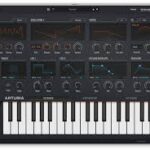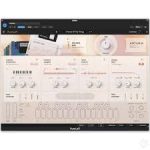
Arturia LoFi v1.0.0.6121 U2B macOS |
Your go-to instrument for authentic lofi sound.
Blend acoustic samples and digital oscillators, apply the charm of vintage samplers and dial in instant degradation with a powerful LoFi processor – embrace sonic imperfection.
Main Features
Two engines in parallel
Realistic Instrument engine
Creative Sampler engine
Lofi Oscillator engine
Noise engine
Dedicated transient and texture layers
190+ curated noises: classic, hardware, natural
Hardware Modes
9 per-engine digital degradation modes
Includes MPC, SP1200, CMI, SK1, EMU, Weary900
3 Arturia custom modes: Deteriorate, Damage, Crush
LoFi processor
6 degradation styles: Golden Age, Velvet Frost, Vintage Glow, Dim Memories, Cathodic Tube, Fuzzy Line
6 tweakable parameters: Drive, Wobble, Wear, Speaker, Tone, Vintage
Global Lofi Amount control
Filters
3 filter types: Clean, Analog, LoFi
Sculpt sound from subtle tone shaping to gritty instability
Powerful FX section
4 effect slots with 18 studio-grade effects to choose from
Includes Reverb, Delay, Chorus, Distortion, and more
Modulable effect parameters
Advanced panel
Drag-and-drop modulation
Envelopes, functions, random generators, macros, and more
Keyboard controls for velocity, aftertouch, modwheel
Extensive library of 250 presets
MPE compatibility
NKS controller compatible
MTS-ESP microtuning compatibility
Homepage https://www.arturia.com/products/software-instruments/pure-lofi/overview