Pulsar Audio Pulsar Echorec v1.7.4 ARM macOS
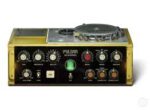
The most iconic magnetic-disk delay from the 70s. Pulsar Echorec is a the best software emulation of the iconic echo/delay unit of the same name produced by the Italian brand Binson in the 1960s.
A Legendary-Sounding Delay
Vintage Echorec devices are known for their saturation, self-oscillation, and oversound, all shaping the music produced in the 70s. They are also, however, known to be fragile and difficult to maintain.
The Pulsar Echorec plugin gives you a faithful emulation of this legendary echo unit; furthermore, many workflow improvements have been added to the original, such as the ability to change the motor speed (and so the delay time) in real time or to sync it to any tempo, including a tapped tempo.
Three different units, in different conditions, have also been precisely modeled, to have all sounds from the cleanest magnetic delay, to the most grunge.
These additions and the signature sound of the Binson Echorec 2 make this echo a must-have tool for any mixer who wants to add the subtle analog life, which is sorely lacking in digital delay plugins.
Homepage https://pulsar.audio/echorec/