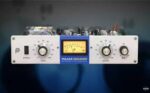
Pulsar Audio Pulsar Smasher v1.5.4 ARM macOS
Straightforward but extreme “British mode” compression – a faithful emulation of a uniquely modified 1176.
All buttons in, all the time
Smasher is an unprecedented custom modification of the classic Urei 1176 compressor circuit, a unique formula that we stumbled upon while fine-tuning other algorithms.
The original 1176 compressor hardware offered a selection of four ratios, but studio engineers soon discovered that pressing them all at once led to a distorted, explosive and highly compressed sound. It’s this “All buttons in” or “British” mode that Smasher was painstakingly designed to recreate.
While remaining very close to the original circuitry, the modifications we’ve built into Smasher will add definition to transients and make your tone more aggressive. We love using it to enhance the ambience in drum busses, but there are many more creative uses too. Smasher won’t work on every single track, but where it does, it works magic.
Smasher excels at raw and gritty sounds, calling to mind bands like Vulfpeck, The Whitefield Brothers and The Black Keys.
Homepage https://pulsar.audio/smasher/