Tone Empire OptoRED v2.5.54477 U2B macOS
Transparent ” Optical Compressor
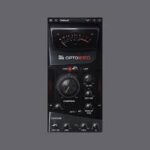
OptoRED is a transparent Optical Attenuator (compressor) based on the classic American unit used on countless hit records. This is part of our new “Enhanced Classics” series.
Analogy
Compression is one of the most important tools in the arsenal of an Engineer, Music Producer & Artist alike. This is now a device that far surpasses its original intent which was to control the level of the sound automatically.
Today we use different types of compressors for inducing a “Vibe” & “Feel” to our instruments, percussion, drums, and voice. Digital and Analog Compressors have come a long way, but some classics are still preferred even today because they are now as much a part of a genre or musical style that they are now deemed as musical instruments in their own right.
At Tone Empire, we are inspired by these classic devices yet yearn to bring extended functionality to today’s modern musicians, engineers & Producers working on advanced systems with a need for more flexibility and extended tones. Hence we have now started a new series of processors called