Excite Audio Evolve Alloy v1.0.0 U2B macOS
The Sound of Metal
Combining a core of metallic sound sources and synthesis, Evolve Alloy is a unique sample-based synthesizer that is designed to capture the sonic essence of metal.
Evolve Alloy combines over 250 sound sources ranging from bright glockenspiels and bells to industrial foley recordings and modern metallic-sounding synths. The result is a sharp, expressive sound palette that ranges from tough and impactful to shimmering and ethereal.
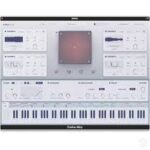
Forge your sound from four layers, blend between them with the XY pad and shape the output using four metal inspired macro effects: Sharpen, Rust, Vibrate and Spring. Evolve Alloy offers dual filters, endless modulation potential and 16 effects modules to fuel its 250 presets and sound design capabilities.
Whether it’s the crystal-clear bell-like tones of ambient and minimalism, the resonant metallic scrapes of industrial techno or the energetic plucks of modern hyperpop, Evolve Alloy has been designed to make the deep sonics of these complex sounds accessible and intuitive.
Key Features:
Blend four layers of samples or synths using the powerful quad-engine.
Morph sounds in real time with the expressive XY Pad.
Get instant creative sparks with one-click randomisation.
Import your own samples and build entirely custom patches.
Modulate anything with drag-and-drop envelopes, LFOs, and XY controls.
Shape and polish your sound with metal-inspired macro effects.
Tweak your tone with dual filters and a rearrangeable 3-slot FX chain.
Explore 250 genre-spanning presets or create from scratch.