
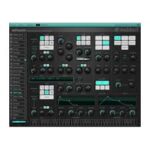
Waldorf Waldorf Edition 2 v2.3.3 macOS
Tellingly, the classic Waldorf Edition has had a visual makeover, but its core values remain unchanged and unchallenged:
the holy trinity of inspiring software instruments!
All PlugIns now have a radically revamped user interface. Besides this, Attack now contains an exceptionally expanded effects section with Delay, Equalizer, Drive, Phaser, Flanger, Chorus, and Reverb.
PPG 2.2V
Accurately modelled after the legendary PPG Wave 2.3
32 wavetables with 64 waveforms each
Synced arpeggiator
8-part multitimbral
2 stereo outputs
Up to 64 voices per instance (depending on available CPU power)
Over 700 sounds included
Attack
Virtual analog sound synthesis
24 percussion sounds per kit
Plays polyphonic bass and lead sounds
6 stereo outputs
Per sound (editable):
2 oscillators
Frequency modulation and ring modulation
“Crack” module
6 filter types with resonance up to self-oscillation
Overdrive up to 52dB
Filter LFO, sync-able to tempo
2 envelopes
Delay, Equalizer, Drive, Phaser, Flanger, Chorus and Reverb effects
Up to 64 voices per unit (depending on available CPU power)
36 percussion kits with over 850 sounds included
D Pole
Multimode filter (5 filter types: Low Pass, Band Pass, High Pass, Notch, Resonator)
12dB or 24dB slope
Resonance up to self-oscillation
Overdrive up to +52dB
Ring modulation
Sample rate reduction
LFO rate adjustable to over 7000Hz, sync-able to tempo and audio
Delay effect with up to 2000ms delay time,
sync-able to tempo
Stereo input/output





