
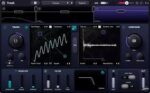
iZotope Trash 1.3.0 Rev2 macOS U2B
Our iconic distortion engine is back by popular demand – with a whole new take on mangling and transforming your sound. Have a blast bringing out the color and chaos in your tracks with over 600 distortion types and impulse responses. Or, roll the dice to explore new, unexpected directions. Escape reality and discover the beauty of imperfection with Trash.
Trash module
Take your sound in new warped directions, or just have fun mashing things up with over 60 distortion types, like Rusty Bits, Cactus, Noise Art, and Distropia. Blend together up to four different distortion settings with an intuitive XY pad. Plus, add dynamics and movement by modulating the Drive control, which controls the intensity of the distortion, and carve out frequencies for a dramatic effect with the Tilt control.
Convolve module
Morph your track into other objects and spaces with over 600 creative impulse responses, including reverse reverbs, piano cabinets, and plexiglass tubes. Blend up to four IRs together with the XY pad and explore new dimensions of sound. Plus, the Impulse Response Loader lets you upload any audio file to bring its sonic characteristics into your track, whether it’s your cat’s meow or the latest viral clip.
Multiband
Shape specific parts of your audio by splitting it into low, mid, and high frequency bands. You can add a little distortion to just one part of the spectrum, or go wild and mess everything up.
Envelope Follower
Spice up boring loops with Trash’s dynamic distortion capabilities, allowing you to create sounds that blend through one another. Discover sounds you never thought were possible with this intuitive Envelope Follower.
Oversampling
Distortion and audio origami go hand in hand. Happy with how your sound is wrapping around? Keep scrolling. Aliasing destroying your tracks in the wrong way? Switch 4x oversampling on for the Trash module and mangle your sound more cleanly.
→ Extras:
Mix controls
Apply Trash and Convolve to your full mix, or blend both modules in and out across three frequency bands.
Randomize
Randomly change the settings of both Trash and Convolve XY pads.
Scream
Add even more chaos and color to your sound with this self-oscillating low pass filter. It screams – if you want it to.
Autogain and Limiter
No need to worry about blowing your speakers. Trash takes care of output levels for you with intelligent autogain and limiter settings.
Swap
Switch the order of the Trash and Convolve modules in the signal chain for each frequency band and experiment with endless combinations of distortion and spatial effects.
Autogain and Limiter
No need to worry about blowing your speakers. Trash takes care of output levels for you with intelligent autogain and limiter settings.
→ Key Features:
• Iconic distortion engine with over 600 distortion types and impulse responses
• Intuitive interface designed for creative inspiration
• Trash module for breaking and transforming sounds
• Explore over 60 distortion types like Rusty Bits, Cactus, Noise Art, and Distropia
• Blend up to four different distortion settings with an intuitive XY pad
• Modulate distortion intensity with the Drive control
• Carve out frequencies for dramatic effect with the Tilt control
• Convolve module with over 600 creative impulse responses
• Shape specific parts of audio with Multiband distortion across low, mid, and high frequency bands
• Dynamic distortion capabilities with Envelope Follower, allowing for creative sound blending
Compatibility: macOS 13.7 or later • Apple Silicon or Intel Core processor
Homepage https://www.izotope.com/en/products/trash





