
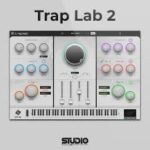
Studio Trap Trap Lab 2 VST v1.0.0 macOS
Introducing Trap Lab 2 VST, the ultimate music production plugin meticulously redesigned to elevate your trap, drill, and hip hop beats to unprecedented heights. This cutting-edge virtual instrument boasts 150 expertly crafted presets, each tailored for the modern soundscapes of today’s music scene.
Explore a vast sonic palette with Trap Lab 2’s comprehensive range of features. Take control of your sound with the dynamic ADSR envelope, shape and enhance your melodies with the immersive chorus effect, and add depth to your tracks with the versatile delay functionality. Unleash raw power and grit with the distortion options, while the LFO (Low-Frequency Oscillator) opens up new possibilities for creating unique and evolving textures in your music.
Whether you’re a seasoned producer or just starting your musical journey, Trap Lab 2 VST is your go-to tool for crafting professional-quality beats. Elevate your production game with this innovative plugin that brings the essence of modern trap, drill, and hip hop right to your fingertips. Get ready to revolutionize your sound and make your mark in the world of contemporary music with Trap Lab 2 VST.
Product Details:
• 150 Presets (11 Instrument Categories):
• 808’s, Bass, Bells, Brass, Guitars, Keys, Leads, Pads, Plucks, Strings, and Synths.
• Windows: 64-Bit VST / VST3 Formats
• MacOS: VST, VST3, & AUDIO UNIT Formats
• Works In All Daws Except Pro Tools
• Download File Size: 1.43GB (Win & Mac)
Homepage https://www.producerloops.com/Download-Studio-Trap-Trap-Lab-2-VST.html





