Lingon Pro 10.1.4 macOS
Lingon Pro is a user-friendly and powerful automation management tool designed to help users efficiently manage tasks on their Mac.
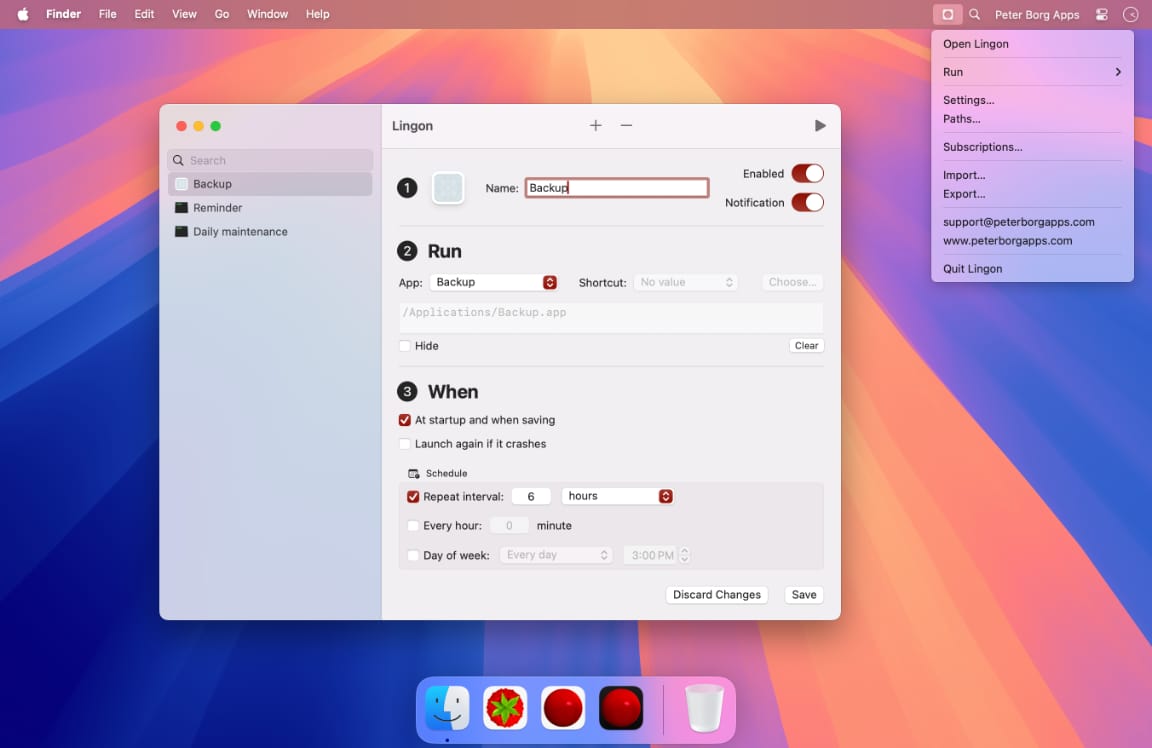
It allows users to schedule and run tasks on demand, such as launching applications, executing scripts or commands, supporting scheduled or periodic runs, and ensuring that applications automatically restart after crashes.
Lingon is now available in two versions: Lingon 10 with a risk-free monthly subscription through the Mac App Store, or Lingon Pro 10 with a one-time purchase outright. Lingon implements one-click notifications, menu bar launch, and hotkey functions, making it easier to operate.
Lingon Pro has full launchd editing capabilities, allowing you to run tasks with root privileges and monitor them all in the background. Lingon is available for macOS 14 Sonoma or later and comes with a host of new features and improvements, such as a more optimized user experience, improved scheduling options, and multilingual support.
Overall, Lingon is an easy-to-use, efficient, and powerful task scheduling tool that helps users free up time and improve productivity.
Compatibility: macOS 14.0 or later
Homepage https://www.peterborgapps.com/lingon/
Screenshots