Excite Audio Evolve Elastic v1.0.0 macOS
Futuristic Synthesis
Evolve Elastic is a bold sample-based synthesizer that morphs sound into unexpected forms, inspired by the playful, artificial and unpredictable character of elastic.
Evolve Elastic combines over 250 sound sources ranging from squelching acid basslines and elastic plucks to bouncing rhythms, futuristic textures, and glossy pads. Shaped with extreme and evolving modulation, Elastic is designed to twist, stretch, and mutate sound into something entirely new.
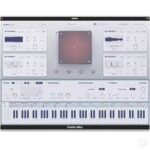
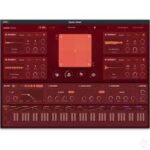
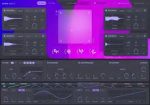
Build your sound from four layers, blend between them with the XY pad, and then shape the output using four elastic-inspired macro effects: Melt, Bounce, Stretch and Gloss. Evolve Elastic offers dual filters, endless modulation potential and 16 effects modules to power its 250 presets crafted by Excite Audio’s team of professional sound designers.
Inspired by experimental electronic artists like Flume, SOPHIE and Aphex Twin, Evolve Elastic delivers cutting-edge presets that spark creativity, making you ask: “How did they make that sound?”
What can Evolve Elastic Do?
Blend four layers of samples or synths using the powerful quad-engine.
Morph sounds in real time with the expressive XY Pad.
Get instant creative sparks with one-click randomisation.
Import your own samples and build entirely custom patches.
Modulate anything with drag-and-drop envelopes, LFOs, and XY controls.
Shape and polish your sound with elastic-inspired macro effects.
Tweak your tone with dual filters and a rearrangeable 3-slot FX chain.
Explore 250 genre-spanning presets or create from scratch.