coconutBattery Plus 4.3.2 for Mac – Battery Health Monitor for Mac
coconutBattery Plus is a battery monitoring utility for macOS that gives you a clear, detailed picture of your battery’s current health — not just the charge percentage that macOS shows by default. It tracks capacity, cycle count, battery age, and health trends over time for your Mac, iPhone, and iPad all in one place.
If you’ve ever wondered why your MacBook doesn’t last as long as it used to, or whether your iPhone battery needs replacing, coconutBattery answers those questions with real data pulled directly from the device.
Features of coconutBattery Plus for macOS
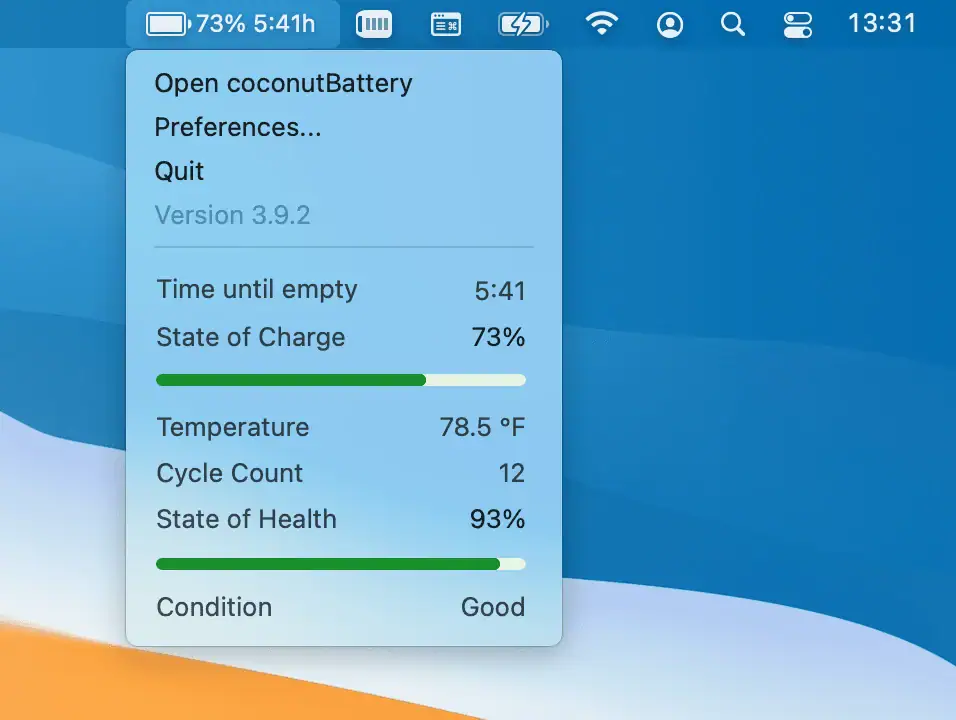
- Displays current charge and maximum battery capacity in mAh
- Shows battery health percentage for Mac, iPhone, and iPad
- Tracks how many times a battery has been charged — cycle count
- Calculates device and battery age using the serial number production date
- Save battery health snapshots to track how capacity changes over time
- Monitor connected iPhone and iPad battery health directly from your Mac
- Clean, minimal interface with all key data visible at a glance
Battery Health & Capacity Tracking
- Shows the difference between original design capacity and current maximum capacity
- Cycle count tells you how heavily a battery has been used since new
- Health percentage gives a quick indicator of whether replacement is needed
- Save current readings and compare them over weeks or months to spot decline
- Works with MacBooks, iPhones, and iPads connected via cable or the same network
Device Age & History
- Decodes the production date from your device’s serial number to estimate its age
- Battery age is tracked separately from device age for accurate health context
- Historical data lets you see how fast your battery is degrading over time
- Useful for making informed decisions about battery replacement or device upgrades
Technical Details & System Requirements
- Title: coconutBattery Plus 4.3.2
- Developer: coconut-flavor
- Compatibility: macOS 12.0 Monterey or later
- Architecture: Apple Silicon (ARM) + Intel x86 64-bit
- Language: English
- Includes: Pre-Activated (RG)
Installation Instructions
Open the downloaded .dmg file and drag the application to the Applications folder shortcut inside the image. Once copying is complete, launch the app directly from Launchpad.