DockPops 4.3 for Mac – Dock Organizer with App Groups & Popover Menus
DockPops is a Dock productivity tool for macOS that brings iPhone-style folder organization to your Mac Dock. Instead of a cluttered row of app icons, you group everything into clean popover menus called “Pops” — apps, files, folders, and entire project workflows all accessible with a single click.
Whether you’re switching between work, design, and personal setups throughout the day, DockPops keeps each context organized and instantly reachable without touching your desktop or digging through Finder.
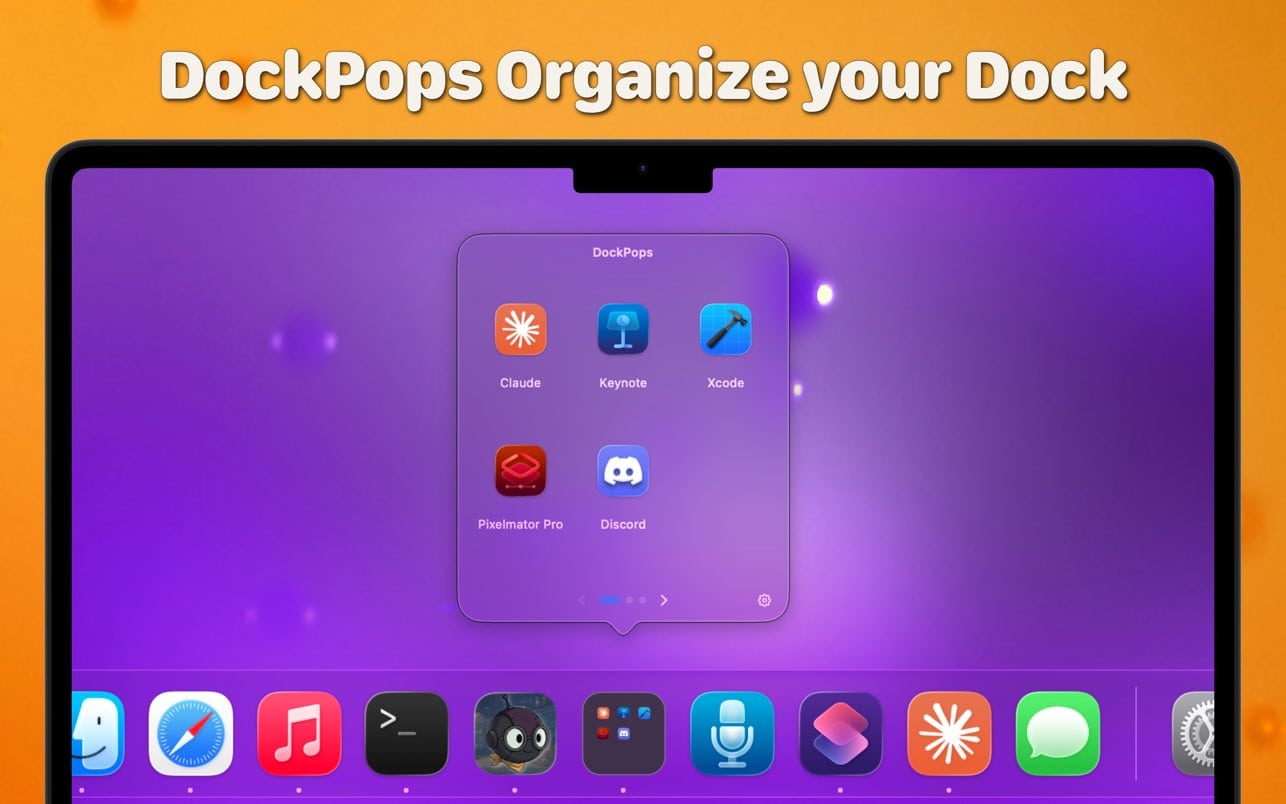
Features of DockPops for macOS
- Group apps, files, and folders into clean iPhone-style popover menus in your Dock
- Click any Pop to open a grid of items or launch an entire workflow with “Open All”
- Add documents and directories with QuickLook previews for easy identification
- Create multiple independent Dock icons for different categories like Work, Design, or Gaming
- Trigger any Pop via Siri or Spotlight for hands-free access
- SmartyPops uses on-device AI to suggest items based on your usage patterns
- Runs entirely locally — zero data collection, no tracking, no network access
Dock Organization & Launch Speed
- Replace a cluttered Dock with organized Pops that group related items together
- Open an entire project setup — multiple apps at once — with a single “Open All” click
- QuickLook previews let you identify files inside a Pop without opening them
- Clean popover grid layout keeps everything visible and easy to tap
- Works with apps, documents, folders, and directories in the same Pop
MultiPops, Shortcuts & AI Suggestions
- MultiPops creates separate Dock icons for each category you set up
- Siri and Spotlight integration lets you trigger any Pop by voice or search
- SmartyPops analyzes local usage patterns and suggests relevant items automatically
- All AI processing happens on-device — nothing leaves your Mac
- No subscription required for core features — premium unlocks SmartyPops
Technical Details & System Requirements
- Developer: Applacat LLC
- Compatibility: macOS 14.0 Sonoma or later
- Language: English, German, Spanish
- Includes: Pre-Activated by EDiSO
Installation Instructions
Open the downloaded .dmg file and drag the application to the Applications folder shortcut inside the image. Once copying is complete, launch the app directly from Launchpad.
Homepage https://apps.apple.com/us/app/dockpops/id6759999009