Glow 2.0.0 for Mac – Menu Bar Manager & Customization Tool
Glow is a menu bar manager for macOS that cleans up icon clutter while giving your menu bar a polished, intentional look. Instead of a crowded row of system and app icons fighting for space, Glow lets you hide what you don’t need behind a smooth gesture and keep only what matters visible at all times.
With live wallpaper syncing, real-time style adjustments, and a fluid liquid-glass reveal animation that feels built into the OS, Glow is designed for Mac users who care about how their desktop looks just as much as how it works.
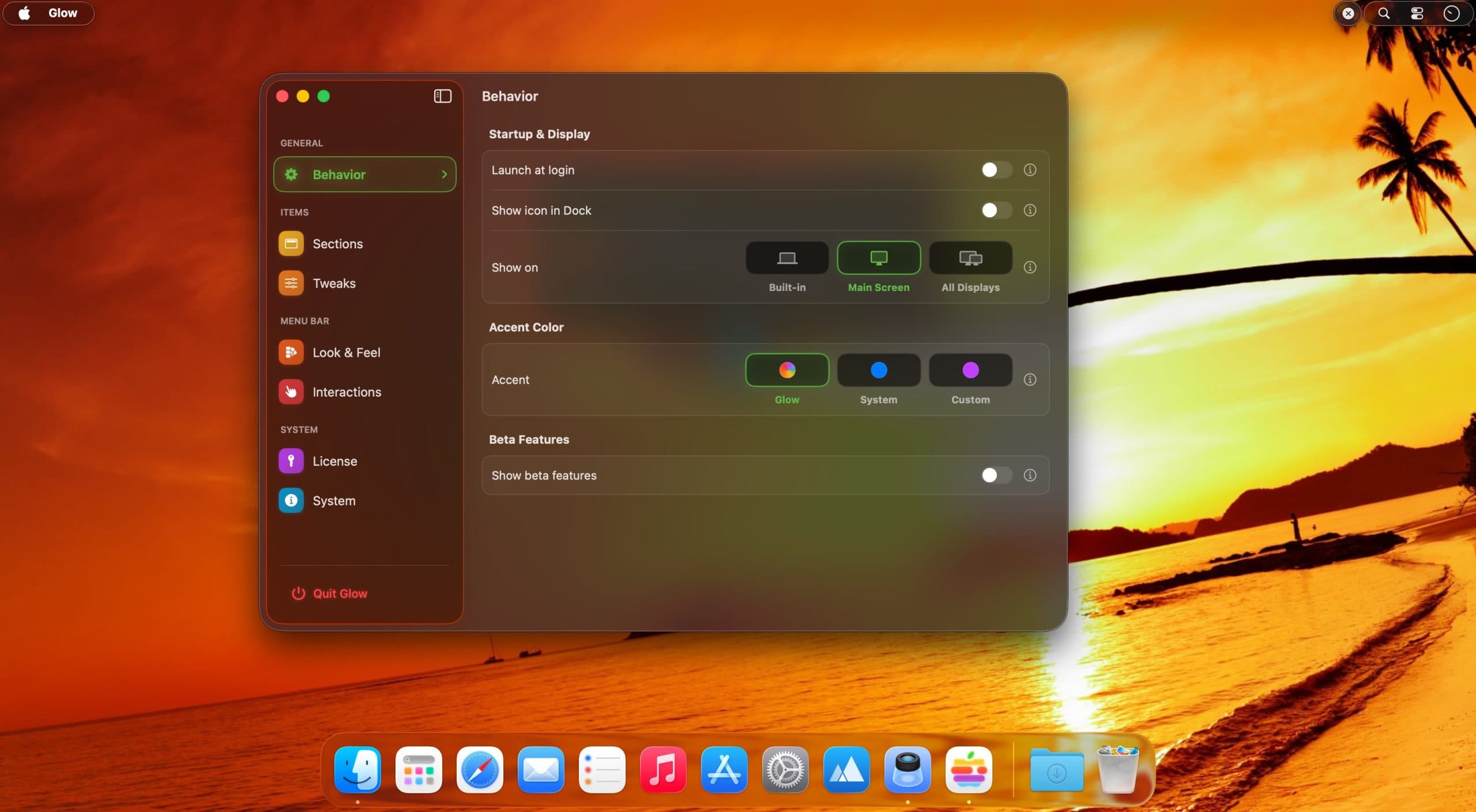
Features of Glow for macOS
- Hide menu bar icons behind a smooth liquid-glass reveal gesture
- Automatically syncs menu bar tone to your live wallpaper in real time
- Adjust spacing, borders, and styles with instant live previews
- Keep only the icons you need visible — everything else stays one gesture away
- Subtle motion and refined visuals make the menu bar feel intentionally designed
- Lightweight and runs quietly in the background without interrupting your workflow
Fluid Reveal & Visual Design
- Liquid-glass animation reveals hidden icons with a gesture that feels native to macOS
- Motion is subtle and smooth — nothing jarring or out of place
- Refined visual style elevates the menu bar beyond the default system appearance
- Designed to complement macOS aesthetics rather than clash with them
Aesthetic Syncing & Customization
- Menu bar tone updates automatically to match your current live wallpaper
- Tweak spacing between icons, border styles, and visual treatment in real time
- All adjustments preview instantly — no guessing what the final result will look like
- Customization options stay focused and practical — nothing overwhelming
Best Use Cases
Technical Details & System Requirements
- Developer: Anderson Grefa
- Compatibility: macOS 26 or later
- Processor: Intel or Apple Silicon
- Language: English
- Includes: Pre-Activated by EDiSO
Installation Instructions
Open the downloaded .dmg file and drag the application to the Applications folder shortcut inside the image. Once copying is complete, launch the app directly from Launchpad.
Homepage https://macglow.app/