Tab Launcher 2.9.5 for Mac
TabLauncher will help you find and launch your favorite programs, web pages, folders, or any type of files in a fast and easy way.
Taking up fewer resources as possible, and allowing you to personalize the appearance in many ways, by changing colors, images, transparency, animations, and many other options to make it blend in with your desktop.
Here are some of the key features:
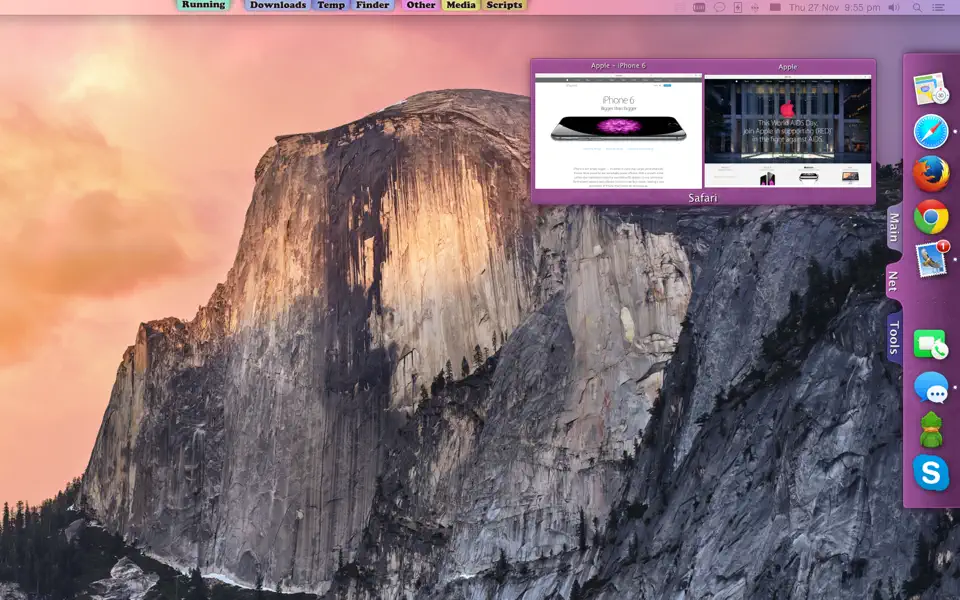
- Organize icons using tabs.
- Add as many tabs as you like on any edge of any screen.
- Easily adjust the position of the icons, tabs and window with a simple drag.
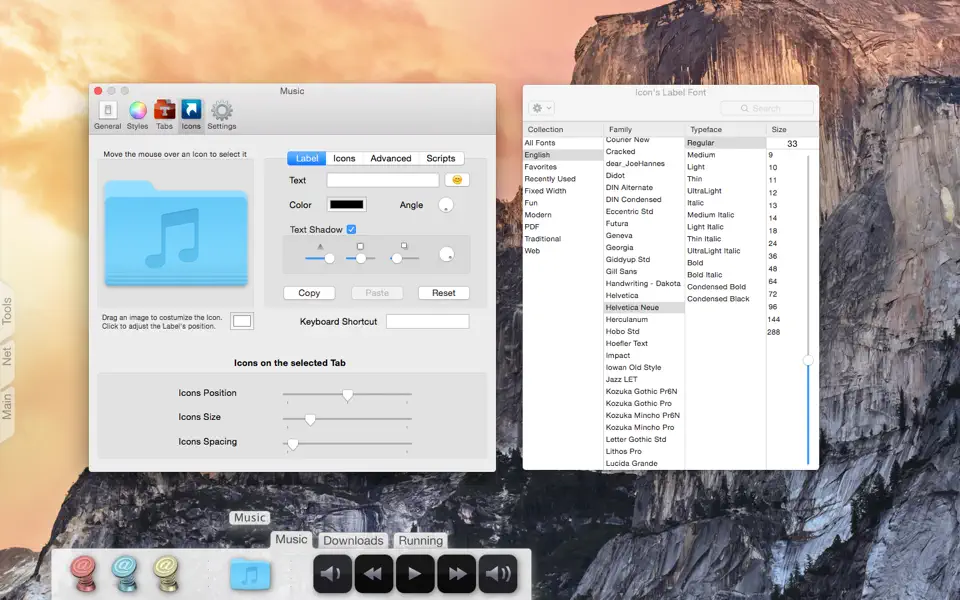
- Each tab can be personalize by changing the title, font, shadow, shape, color, transparency, icons size and position.
- Tab that automatically displays the currently running applications.
- Tab that shows running application’s windows as icons. Option to choose between showing all windows, minimized or off screen.
- Tab that displays the most recently modified files on a specified folder.
- Tab that represents a specified folder. Files added to this tab will be added to the folder and vice versa.
- Music player tab. Add internet radio stations or folders with your music and listen to music all day using very little CPU.
- Customize each icon by changing the image, color, adding a label or crating your own icons.
- Window previews of all running applications. Simply by placing the mouse pointer over the app’s icon.
- Global shortcut keys to execute any item on your tabs.
- Launch or quit applications using events such as, system sleep/wake, screen sleep/wake, user log in/out, shut down or timer.
- Scriptable, easily automate TabLauncher using AppleScript.
What’s New:
Version 3.0
TabLauncher 3.0 is the biggest update in the app’s history – a complete redesign of how tabs look, move and feel.
NEW
- Tabs are now living, organic shapes: sculpt every curve yourself in the new Shape Studio, or pick a preset (Classic, Soft, Pill, Sculpted, Wave).
- Multi-color gradients and outlines for tabs, name bubbles and window previews.
- Fluid animations everywhere: tabs morph open and closed, icons glide apart to make room while you drag.
- New closing options: after a delay, or when you click an icon, a tab, or anywhere outside.
- Every screen edge remembers its own tab layout – with a separate one for the camera housing on modern MacBooks.
- Import from Dock: apps, folders, web links, and even your Dock’s spacers.
- Hidden tabs leave slim, colorful markers at the edge so you always know where they are.
- First launch now starts with tabs built from the apps on your Mac.
IMPROVED
- Updated throughout for modern macOS.
- Save your configuration on one Mac and load it on another – older backups load too.
- Smoother, faster and more stable everywhere.
System Requirements: macOS 10.13 or later.
Homepage https://itunes.apple.com/us/app/tab-launcher/id421340897
Screenshots