Tab Launcher 3.2.2 for Mac: Declutter Your Dock & Desktop
Let’s be honest: if you use your Mac for serious work, your default Dock probably gets messy fast. Once you open a dozen apps, folders, and documents, those icons shrink down so much that finding what you need becomes a frustrating guessing game. Tab Launcher is built to solve exactly this problem by moving your clutter into neat, hidden pull-out tabs along the edges of your screen.
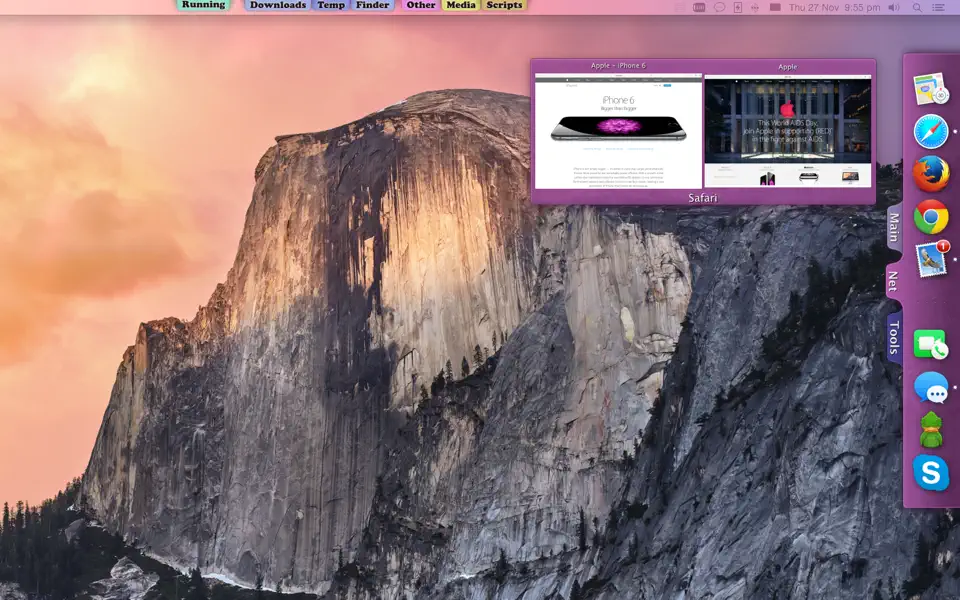
Instead of dumping everything into one crowded bar, you can group things logically. You can create one tab just for your daily work apps, another for your current project files, and a third that only shows apps that are currently running. It takes up almost zero system resources, stays completely out of your way when you don’t need it, and glides out instantly when you do.
What Makes It Better Than the Default Dock?
- Organize by Category: Add as many tabs as you want to any edge of your screen. Keep your design tools on the left, office apps on the right, and games at the top.
- Smart Folders & Running Apps: Set up a tab that automatically shows your most recently modified files, or a tab that only displays currently running apps (with options to see minimized or off-screen windows).
- Live Window Previews: Just hover your mouse over an app’s icon in the tab to instantly see a preview of its open windows.
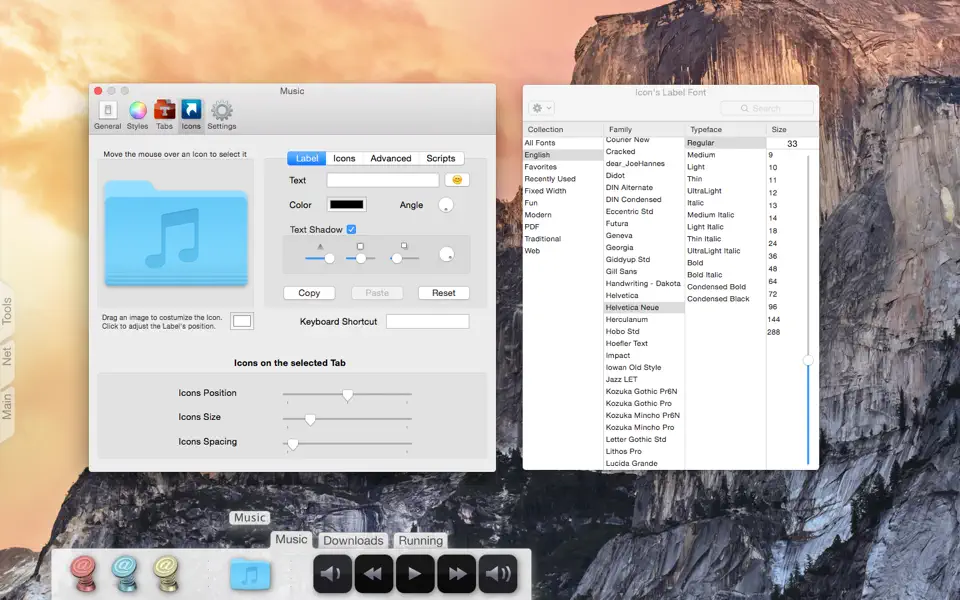
- Built-in Music Player: Add a dedicated tab for internet radio stations or local music folders so you can listen all day without opening a heavy music app.
- Automated Triggers: Set specific apps to automatically launch or quit when your Mac wakes from sleep, when you log in, or on a set timer.
Recent Major Updates (Version 3+ Redesign):
The version 3 update completely rebuilt how Tab Launcher feels on modern macOS:
- Organic Shapes & Fluid Animations: Tabs now morph open and closed smoothly. You can use the new Shape Studio to sculpt custom curves (Classic, Soft, Pill, Wave) and add multi-color gradients.
- One-Click Dock Import: Setting it up takes seconds. You can instantly import your existing apps, web links, and folders directly from your macOS Dock.
- Notch-Friendly: Every screen edge remembers its own custom layout, including a separate, specific layout that works perfectly around the camera housing (notch) on modern MacBooks.
- Cloud Backup: Save your tab configuration on one Mac and easily load it onto another.
Technical Details & System Requirements
- Compatibility: macOS 12.0 or later, ARM, x86 (64-bit)
- Developer: TabLauncher
- Homepage: Mac App Store Link ↗
Screenshots