AIR Music Technology Vacuum v1.4.0 macOS
Air Music Technology originally created Vacuum Classic as part of their Creative Collection of instrument plug-ins that were included as part of Avid® Pro Tools®. As the popularity of Pro Tools grew, more and more musicians and producers relied on the incredible sonic firepower of this amazing Synth. Vacuum Classic continued to evolve and demand grew. Vacuum Classic is now available on its own, available to anyone who demands instant creativity in AU/VST formats.
Vacuum Classic is a monophonic vintage synthesizer featuring Vacuum Tube Synthesis
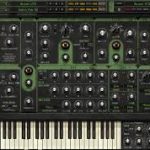
with vacuum tube circuit modeling that perfectly captures the crunchy, warm sound of the analog era. With analog oscillators, multiple filters and envelopes and built-in audio effects, Vacuum lets you dive deep into subtractive synthesis to recreate those sought-after analog sounds from the 70s and 80s. Tweak the switches, knobs and dials to program anything from basses, leads, pads or unique sound effects.
Vacuum gives you two Vacuum Tube Oscillators. A nice touch with the four available wave shapes is that rather than just picking one, Vacuum lets you ‘morph’ between them. The output of the oscillators goes through a mixer, where you can apply drive/distortion and ring modulation, before being passed through high- and low-pass filters.
Included are a wide range of pre-sets designed by highly-acclaimed sound designers Richard Devine and Mark Ovenden. Covering everything from Leads, Pads, Bass, Arpeggios, Percussive, and FX sounds this library provides instant inspiration for anyone to tweak to their contentment.
The filters provide a smooth sound, but each offers a saturation control if you prefer a more aggressive sound. A really nice touch can be found in the ‘age’ knobs, where you can set an amount of pitch drift to apply to the oscillators, or the quantity of dust that might make the synth sound old and noisy.
The Age function provides Drift and Dust controls adjusting the age from oscillator drift to crackling controls to slightly inaccurate keyboard triggering/pitch for that truly authentic hardware experience sought out by Synth lovers. This is one of the most realistic emulations you’ll hear anywhere!
Vacuum also offers a number of modulation options, including two envelopes, which can be set to retrigger in the settings page. There’s also an on-board arpeggiator. For a synth plug-in, Vacuum sounds surprisingly unlike a synth plug-in, exhibiting a real, dirty and analog quality.
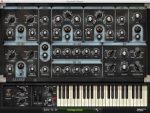
The slick vintage synth-styled interface pays homage to some of the best vintage tube synths of the past, powerful and easy to use.
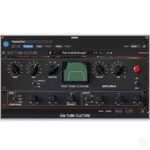
For those who require even more creative possibilities such as expanded FX, Polyphonic Tube Synthesis with Six circuits, consider the upgrade to Vacuum Pro.
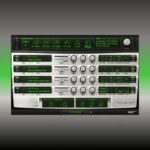
Vacuum Pro is a powerful combination of two separate synthesizer parts that can be stacked, split, and layered to produce big, wide and fat analog sounds. Each Vacuum Pro part starts with two wide-range, vacuum tube oscillators that can be synched, detuned, and set to various octave levels. Plus, the Quad Detune controls per oscillator make it easy to quickly dial in lush sounds. For an even bigger sound, the built-in Doubling effect instantly widens and thickens up your patch.
Homepage https://www.airmusictech.com/virtual-instruments/vacuum/