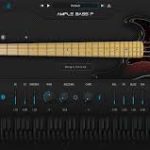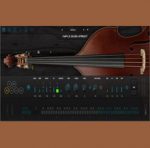
Ample Sound Ample Bass Upright v4.0 macOS
Ample Bass Upright is based on a Upright Bass. Commonly used in jazz, blues, funk, and similar styles, the Upright Bass is considered one of the most iconic and soulful instruments in jazz music.
System Requirements:
Mac: macOS 10.15 or later.
Windows: Windows 7 to Windows 11 (64-bit)
Plugin Formats: VST2, VST3, AU, AAX, and standalone host(Rectangles)
Disk Space: Over 20 GB, SSD is recommended.
CPU: Intel i5 or higher
Sampling:
Sustain, Palm Mute, Natural Harmonic, Hammer On & Pull Off, Legato Slide, Slide in, Slide Out, Slap, Pop, Tap, Accentuated, Repeat Note, Dead Note 13 articulations, Size: 4.26 GB.
Polyphonic Legato and Slide Smoother: Enables realistic legato across any interval and speed. A slide system specifically designed for fretless instruments.
Drop tuning supported, with lowest note down to D1 .
Ample Bass Upright was recorded using neck, body, room 3 mics, and DI.
Riffer 4:
A MIDI editor tailored for plucked string instruments.
Dual View Modes: Seamless real-time switching between Piano Roll and Guitar Tab views — a first of its kind, offering two perspectives for reviewing and editing the compositions.
String Visualization System: Strings are now visualized within the Piano Roll, enabling MIDI writing that adheres to authentic plucked instrument techniques — automatically preventing polyphony on the same string and intelligently assigning fingering. The result is MIDI that sounds closer to real performance.
Full MIDI Import/Export Compatibility: Whether import external MIDI files or export from Riffer to DAW’s MIDI or instrument track, the playback result remains identical and accurate.
Intuitive Technique Editing: Easily program fingering, articulation, legato, and expression — no need for cumbersome key switches or complicated MIDI CC programming.
New MIDI CC and Velocity Editors: View and edit multiple MIDI CC lanes simultaneously with different colors and transparency. One-click CC curve presets allow fast and expressive automation.
Extensive Riff Library:Hundreds of brand-new bass riffs to spark creativity and accelerate the workflow.
Tab Reader 4:
Supports Guitar Pro files from GP3 to Guitar Pro 8. Files created using third-party tab editing software (not officially from Guitar Pro) are not supported.
Capable of importing entire bass tracks into Riffer with full retention of fingering, articulations, and performance data.
AMP and FX system:
Built-in AMP system: including three classic AMP models: Vintage-15, Bass-500, Ba