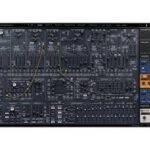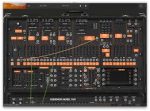
Arturia ARP 2600 V v3.13.3.6106

Apr 29, 2025 , Application, Audio & Music
Arturia ARP 2600 V v3.13.3.6106
Name:
ARP.2600.V.v3.13.3.6106m_mactorrentdownload.com.rar
Size:
408 MB
Files:
ARP.2600.V.v3.13.3.6106m_mactorrentdownload.com.rar [408 MB]
UPDATED Apr 29, 2025
RATING
4/5 - (1 vote)
PREV. VERSIONS 3 Available

Arturia ARP 2600 V v3.13.3.6106 U2B macOS

ARP2600 V
Coveted semi-modular classic.
ARP 2600 V reproduces one of the most desired synthesizers ever created, responsible for sounds ranging from ’70s funk textures to unmistakable special FX. Experience it in perfect plugin detail, with enhancements overflowing with creative ideas for any genre.

Main Features
All the parameters of the original ARP 2600
3 voltage-controlled oscillators
Osc2->Osc1 synchronization
24 dB/octave low pass resonant filter with self-oscillation
1 LFO (can be synchronized to the host sequencer’s tempo)
1 sample and hold, 1 ring modulator, 1 noise generator
1 ADSR & 1 AR envelope follower

ARP2500 multimode 12 dB/octave filter with LP, HP, BP and Notch settings
Original ARP Sequencer model 1601
4 exclusive tracking generators with real-time interactive LFO creation ability
Voltage processors can be used as inverters, mixers or lag processors
Onboard effects: chorus, MIDI-syncable stereo delay, reverb
Polyphony from 2 to 32 voices with Unison options
More than 500 presets from top sound designers
Absolutely pure, top quality sound from TAE® analog modeling

Homepage https://www.arturia.com/products/software-instruments/arp2600v/overview
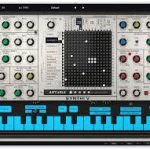
Older Versions 3

Version Publication date Size Download
Arturia ARP 2600 V v3.13.3.6106 LATEST CURRENT April 29, 2025 408 MB
Arturia ARP 2600 V3 v3.7.1 1263 April 23, 2021 213 MB
Arturia ARP2600 V 3.0.4.1141 November 20, 2016 236.7 MB

Frequently asked questions

How do I install the app?
Mount the image, drag the app into the "Applications" folder and launch it. If the system blocks the launch, allow it in "System Settings → Privacy & Security".
The app is damaged or won't launch
Reinstalling from a fresh image usually helps. Make sure your macOS version matches the one listed in the compatibility specs.
How do I update?
Download the new version from the site and install it over the current one — your settings will be preserved.
The download link doesn't work
Try a mirror or a download manager. For large files the browser often drops the connection.
How do I completely remove the app?
Use an uninstaller utility — it cleans up the service files that remain after moving the app to the trash.

Leave a Comment