Cableguys HalfTime v1.1.11 U2B | macOS
Enter a world of spaced-out, slowed-down sound with HalfTime, the only plugin 100% dedicated to half-speed effects, in use by Armin van Buuren, David Guetta, members of 808 Mafia, The Chemical Brothers and more.
HalfTime transforms any audio into a dark, downtempo version of itself, giving your tracks huge mood and atmosphere. Lead synths mutate into heavyweight EDM bass monsters. Plinky piano lines become haunting slow-mo trap melodies. Percussion thickens, expanding to reveal new rhythmic possibilities.
Just add the plugin for an instant half-speed effect with zero setup. Or go in deep with powerful creative controls. HalfTime works on loops, virtual instruments or even live audio input, inspiring you in seconds.
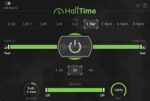
The hands-on Power button makes it easy to fit HalfTime into your tracks — create a rapid switch or sink in slowly with smooth fades up to 16 bars.
Three speed Modes give you classic half-speed, tight harmonies and shuffling swing rhythms, and drugged-out quad-time playback. Adjustable Loop length allows multi-bar slow-downs, funky syncopations and totally new grooves.
Slow only the lows, mids or highs with the Band Split — generate deep bass movement, fatten midrange percussion, or flip your top-end on its head.
Changelog
1.1.11 – December 18, 2024
– Improved: Saving and loading FXPs via the Main Menu now remembers the last used folder, and the file name is pre-filled with the current preset name.
– Fixed: In Logic Pro, the Smooth and Mix knobs could “stick” while being dragged, with the mouse cursor momentarily unresponsive after dragging.
1.1.10 – May 17, 2024
– Fixed: The new Load FXP option loaded FXP presets saved by certain DAWs with wrong settings, and in some cases could cause a crash.
1.1.9 – May 7, 2024
– New: Presets can be saved and loaded in FXP format via the Main Menu.
Homepage https://www.cableguys.com/halftime