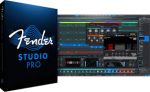
Fender Studio Pro 8 v8.0.2.R1 macOS | + Optional Content
Fender Studio® Pro is the next evolution of modern music creation. Built on PreSonus’ award-winning Studio One platform, it combines celebrated features and trusted performance with a modernized interface, Fender’s renowned amps and effects, and intuitive new workflows that make creating music faster, more inspiring, and more connected than ever.
From the first riff to the final mix, Fender Studio Pro empowers musicians, producers, and creators to bring ideas to life effortlessly. Its drag-and-drop workflow, Channel and Arrangement Overviews, and integrated Fender Mustang Guitar and Rumble Bass plug-ins make recording, producing, and performing more intuitive and inspiring than ever. Additional tools like AI-powered Audio-to-Note conversion, Chord Assistant, updated samplers, Studio Verb, and Show Page video playback give creators the precision, flexibility, and sonic depth to produce professional-quality music in any genre.
Fender Studio Pro Upgrade
Upgrade SKU eligibility — Upgrades any Studio One Pro 7 or Fender Studio Pro perpetual license with 12 months of free feature updates; upgrades previous versions of Studio One to Fender Studio Pro; does not apply to demo or free versions (e.g., Studio One Prime).
Features
Channel & Arrangement Overviews – Full session visibility for quick navigation and control.
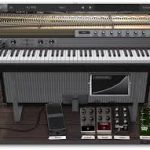
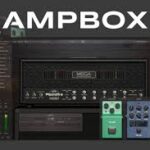
Fender Mustang Guitar & Rumble Bass Plug-ins – Classic Fender tones, amps, cabs, pedals, and presets.
Redesigned User Interface – Modern, streamlined workflow for faster creativity.
AI-Powered Audio-to-Note Conversion – Transform audio recordings into editable MIDI instantly.
Chord Assistant – Intelligent chord suggestions to inspire songwriting.
Updated Sample One & Impact Samplers – Advanced sampling and sound-shaping tools.
Studio Verb Plug-in – Create immersive, realistic reverb with intuitive controls.
Video Support on Show Page – Play and edit video within your performance setup.
Seamless Fender Studio Integration – Capture ideas on mobile, continue on desktop.
Drum Metronome & Jam Tracks – Realistic patterns and multi-track songs for practice and recording.