Firehawk FPV Fighter 2025.11.25 macOS Game
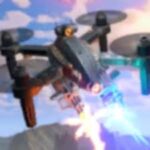
In Firehawk, you are a force of nature, pilot advanced FPV combat drones through intense missions where split-second decisions matter. Death sends you back to base – but your tech, skills, and power grow with every run.
High-speed combat that rewards skill and daring. Start as a rookie, become an ace. Dive through obstacles, chain perfect attack runs, and strike from impossible angles. Go loud with guns blazing or strike with surgical precision. The skies are yours to dominate.
Your drone is your canvas. Start with basic frames and build a deadly arsenal of war machines. Mix weapons, discover deadly combinations, and tune your builds between missions. From swift interceptors to heavy gunships, craft the perfect killing machine.
Turn combat spoils into lasting power. Expand your base, unlock new drones, and develop advanced weapons. Every run makes you stronger – your skills sharpen with each flight, and your base grows with every piece of salvage.
Each mission brings new threats, from defence systems to elite squadrons. Fight through tight industrial zones and open warzones. The path to the final boss is tough but with your growing skill and arsenal, you’ll conquer the skies.
Features
- Full FPV controller support
- Mouse and keyboard support
- Joystick support
- Console controller support
- Challenging enemies and bosses
- Large selection of customisations and weapons
- Multiple maps and biomes
- Leaderboards
Compatibility: macOS 10.14 or later, Intel, 64-bit processor
Screenshots