Forever 89 Topos v1.0.2 U2B | macOS
CLASSIC MACHINES AND ALL THAT’S UNSEEN
Give every sound its perfect character with Topos.
This VST/AU plugin lets you explore the personality of classic studio gear, seamlessly blend between iconic tonal colors, and design your speaker down to the smallest detail.
TAKE THE SIGNAL PATH LESS TRAVELLED
Saturation can do so many things − from a subtle mixing tool to a core element of sound design.
Topos is filled with emulations of pedals, studio gear, tape machines, and tube amps that let you sculpt your tone using beloved gear from the past decades of music making.
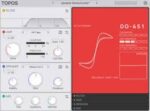
When you find a sound that resonates with you, the Amp Designer view lets you perfect your sound with precise control over each parameter.
The Amp Map lets you dynamically explore emulations, seamlessly blend between tones, and find new textures not possible with hardware. Mix the vintage charm of a 1970s British preamp with the brightness of a modern American one, or find a point somewhere else entirely — unique to only you.
AMPLE ROOM TO GROW
Topos isn’t just about tone, it’s also about space. The size and shape of a speaker directly affect the perception of a sound’s size.
Make your sounds massive or place them in a tiny corner of your mix. Play with expectations by running a physically small instrument into a large, physically-modelled speaker cabinet. This isn’t adding size with reverb; it’s changing what your sound sources are amplified through.
From the punch of a closed-back design to the expansive feel of an open-back cabinet and even unique models that break every traditional design rule, you can design the exact space your sound lives in.
Just like in the Amp section, you can explore a map full of speaker simulations to discover — and create — your own unique design
Homepage https://forever89.studio/topos/