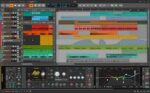
OmniPlan Pro 4.10.3 for Mac – Advanced Project Management
OmniPlan is designed to help you visualize, maintain, and simplify your projects. Break down tasks, optimize the required resources, control costs, and monitor your entire plan—all at a glance. Collaborate with your colleagues and share every detail, update a calendar with your days off, or mix and match. Accept and reject changes one-by-one or all in one go.
You can seamlessly collaborate with your colleagues to share every detail, update calendars with days off, and easily accept or reject project changes individually or all at once. If you are looking to manage your personal daily tasks alongside your main projects, we highly recommend checking out OmniFocus Pro, another powerful productivity tool by The Omni Group.


Features of OmniPlan Pro
- Multi-Project Dashboard: Put together a beautiful, personal command station for a set of projects focusing on resource load and easy-to-understand visuals.
- Monte Carlo Simulation: Get a much better understanding of your project’s finishability with just two clicks as OmniPlan calculates the math and predicts the future.
- Network Diagrams: An incredibly easy and completely customizable way to visualize a project’s flow, dependencies, and individual tasks.
- Earned Value Analysis: Use built-in EVA formulas to always know if the money going into a project is actually producing the expected results.
- Microsoft Project Compatibility: Play it safe with other popular formats by easily importing and exporting Microsoft Project files across platforms.
What’s New in Version 4.10.3
- Improves overall stability and compatibility with newer versions of macOS.
Technical Details & System Requirements
- Title: OmniPlan Pro 4.10.3
- Developer: The Omni Group
- Compatibility: macOS 11.0.0 Big Sur or later
- Language: Multilingual
- Includes: Activated (K’ed by TNT)
- Official Website ↗