Physical Audio Derailer 3.2.7 macOS U2B
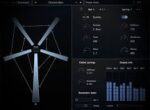
Derailer is a physical modelling instrument plugin built from mathematical models of strings, bars and spring connection elements.
Nonlinear Physical Modelling
Derailer is a physical modelling system built from 3 basic elements. Strings which can be plucked or bowed, metal bars which can be pitched or act as resonators, and nonlinear springs which can be used to connect resonators together to form a network. Derailer uses finite-difference time-domain numerical modelling of these elements, as detailed in this technical paper.
Driver
Derailer uses a driver and resonator setup to provide a flexible system with a wide range of sounds. The excitation signal can be a sawtooth waveform, a plucked or bowed string, a pitched bar, or a striker. This thens passes through an EQ section and low-pass resonant filter, a diode clipper, and then a delay or gate. The resulting signal is then used to drive one of the bars of the resonator network. See this post for further details.
Resonator
The resonator is built from 5 metal bars which can be connected together by up to 10 nonlinear springs. The spring positions can be moved around to change the resonance of the network. Each bar has controls for rigidity, sustain, tone, and mass. Each spring has variable stiffness, decay and nonlinearity. See this post for further details.
Presets by Deru
Deru is Benjamin Wynn, an award winning electronic musician and composer based out of Los Angeles. He has been releasing albums and scores under the Deru alias for the last 15 years.
In addition to his own music, Wynn composes for television, film, and dance, and creates multimedia performance experiences as part of The Echo Society.
Compatibility: macOS 10.13 or later • Apple Silicon or Intel Core processor
Homepage https://physicalaudio.co.uk/products/derailer/