Quiet Music Love-Fi 4 v4.0.0 macOS
Introducing Love-Fi 4—the ultimate tool for effortlessly creating LoFi, ChillWave, Chillhop, and Lo-Fi Ambient beats. This versatile instrument is compatible with Windows and Mac 64-bit systems and comes in VST, VST3, and AU formats.
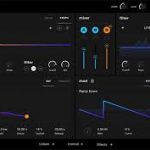
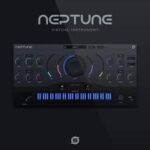
Love-Fi 4 features a redesigned interface and offers a wide array of sounds categorized into Pads, Keys, Bass, Drums, Field Recordings, and sound effects. Each sound is carefully crafted to bring unique atmospheres to your tracks. The user-friendly interface ensures a seamless experience, providing intuitive controls to shape your sound. Easily adjust the ADSR envelope, low-pass/high-pass filter cutoff, LFO modulation, global volume, pan, and tuning.
But there’s more: Love-Fi 4 lets you enhance your sound even further with its built-in effects like reverb, chorus, delay, and distortion.
With Love-Fi 4, your music creation journey becomes more inspiring and straightforward. Elevate your music production and unlock endless creative possibilities with Love-Fi 4.
Features:
– Compatible with Windows & Mac 64-bit systems
– Available as VST/VST3/AU plugin
– Includes 246 meticulously crafted presets
– 35 MIDI files for added creativity
– Control sound dynamics with ASDR envelope and LFO modulation
– Built-in Chorus, Delay, Reverb, and Distortion effects
– Each sample meticulously edited for optimal quality
– User-friendly interface for easy navigation
– 100% royalty-free
System Requirements (Mac):
macOS 10.13.6 And Above
4.70 GB Disk Space
AU/VST/VST3 host (64-bit)
Attention it is not compatible with Protools.