
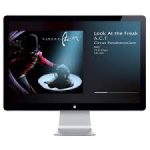
ScreenSleeves 6.10.7 macOS
Album cover artwork screensaver for Mac. The CD cover was smaller, and for downloads the cover is no longer physical. But bands still put much effort into good album artwork and how better to display it while you’re not working than fullscreen?
Now a standalone app. Meaning that you can use Screensleeves full-screen or as a smaller floating window.
You can easily switch between small window and full-screen. Or go full-screen automatically after a period of inactivity, and switch back to floating window with a wobble of the mouse or keypress.
Supports iTunes, Spotify, Airfoil Satellite, Snowtape, Ecoute, Rdio, Radium, Swinsian and Hermes (Pandora client). Detects which is playing and displays cover art and details for the currently-playing track
Choice of themes – Ambience, Classic, Text-only, Mosaic Full-Screen with Ken Burns effect and now ‘Lyrics mosaic’
Can fetch artwork from the web if needed
Some keyboard controls – play / pause / back / skip etc
Can display rating / popularity / loved and change these things with keyboard shortcuts
Easy on the eye, displays the cover for the currently playing track, optional progress bar and a few details and very soft fading actions
Support for the Screensleeves Broadcaster, to allow display of details for music playing on another Mac
Display bitrate, sample rate, file kind, bit depth (currently available when playing iTunes and Swinsian only)
Perfect for parties or just chilling
Compatibility: macOS 10.12 or later
Homepage https://peacockmedia.software


Does only crashes.