
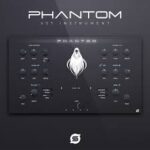
Studio Trap Phantom VST v1.0.0 macOS
Phantom is the ultimate VST plugin for producers seeking hard-hitting, atmospheric, and melodic sounds tailored for Trap, Drill, and Hip-Hop. With a massive library of 130 high-quality instruments, Phantom empowers you to craft chart-topping beats and iconic tracks effortlessly.
What’s inside?:
•808s & Bass: Deep, gritty, and earth-shaking lows that define the genre.
•Bells & Keys: Ethereal, dark sounds for signature Drill and Trap vibes.
•Brass & Orchestrals: Bold and cinematic sounds to elevate your beats.
•Guitars & Leads: Smooth, aggressive, & expressive tones for unforgettable hooks.
•Pads, Plucks & Synths: Lush textures and cutting-edge soundscapes for endless creativity.
Whether you’re cooking up ominous Drill tracks, punchy Trap anthems, or soulful Hip-Hop beats, Phantom delivers the tools you need to stay ahead of the game. Its intuitive interface and meticulously crafted sounds make it a must-have in your production arsenal.
Product Details:
• 130 Instruments (11 Instrument Categories)
• 808’s, Bass, Bells, Brass, Guitars, Keys, Leads, Orchestral, Pads, Plucks, & Synths
• FX Included: Adsr, Chorus, Delay, Reverb, Distortion, Lfo, & Glide
• Windows: 64-Bit VST3 837.40MB (Zipped)
• MacOS 64-Bit VST3/Audio Unit 1.24GB (Zipped)
• Works in all daws except Protools
Homepage https://www.producerloops.com/Download-Studio-Trap-Phantom.html





