
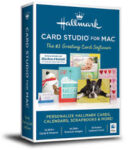
Hallmark Card Studio 23.0.0.27 macOS
For more than 100 years, Hallmark has designed greeting cards for life’s special moments. Hallmark Card Studio® for Mac extends this tradition, making it easy to create one-of-a-kind Hallmark cards as unique as the people you care for. But cards are just the beginning. Bridge the miles between family and friends with customizable photo frames, calendars, announcements, postcards, stationery, invitations, e-cards and scrapbook pages. Even import photos directly into your cards and projects from iPhoto or an iSight camera.
With exclusive Hallmark sentiments and the Hallmark Premium Graphics Collection, your cards and projects will be more creative and heart-felt than ever before. It’s amazing what you and Hallmark can do together.
The #1 Greeting Card Software
– 12,900+ Customizable Hallmark Cards & Projects in total
– 19,300+ Premium Graphic Images
– Mac Video Tutorial Gets You Started Fast
– Now fully compatible with macOS Tahoe 26 & macOS Sequoia 15
Spectacular Cards and So Much More!
Commemorate events and bridge the miles between family and friends with invitations, photo frames, scrapbook pages, stationery, certificates, e-cards and much more!
– NEW! 200 Hallmark cards
– 19,300+ Premium Graphics Images
– Hallmark Graphics Collection
– Easy to Use! A tutorial gets you started fast
– Browse projects by design, theme or occasion
– Import photos from iPhoto and Facetime cameras
– Multi-touch Gesture Support
Compatibility: macOS 10.14 (Mojave) and later
Homepage https://www.hallmarksoftware.com






Won’t install on my Mac. Running OS Big Sur 11.7.10