
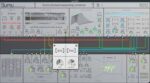
Madrona Labs Sumu v1.1.1 macOS
Sumu breaks completely new ground in software synthesis, combining additive resynthesis with FM and vector field spatialization. Its collection of ten modules, designed around a unique multi-channel patcher, offer musical possibilities not found in any other instrument.
In Sumu, sampled sounds are represented as collections of up to 64 bandwidth-enhanced partials, each with a frequency, volume, and noisiness that can change over time. This representation of sound makes all kinds of creative changes possible, from natural-sounding time stretching to exotic timbral manipulations. Using the central multi-channel patcher, each partial in a sound can be manipulated independently in a way that feels more like playing than programming. Pick a few harmonics and frequency-modulate them? No problem. Delay each partial according to its frequency? Sure.
Sumu enables precise and careful changes in space and time, or wild chaotic ones. Take a sample, choose a few partials, and place them somewhere else in the sound field. Or explode everything and stir it into a whirlwind of doppler shifted chorus as each partial zooms around on its own path.
And then a stream comes burbling through, and as we listen, the individual droplets are gradually nudged into line to make a quantized rhythm. The pulses module in Sumu is a rich modulator for resynthesis, or a source of complex sounds all on its own. It offers smooth transitions between rhythm and noise, organic and synthetic.
As a balance to all of this very modern digital manipulation, there’s an analog-modeled filter based on the classic four-pole Moog ladder design. It can self-oscillate for big vintage sounds, or just round off those prickly edges.






mac dmg, but with a windows key gen. please tell me the logic here