
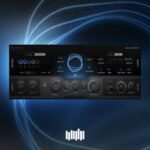
Plugin Alliance HEARS Perfection 1.0.0 macOS U2B
Personalized frequency correction for professional results. Your ears are the most important tool in the studio – but no two pairs are alike. Natural differences, age, or listening fatigue can cause frequency loss that keeps you from hearing your mixes accurately. HEARS Perfection fixes that.
From missing frequencies to total mix confidence
Developed by Brainworx in collaboration with the HEARS team, HEARS Perfection is the next generation of personalized hearing compensation. Using an optimized built-in hearing test, it pinpoints exactly where your hearing falls short and applies real-time correction – providing you with a perfectly flat and neutral listening environment tailored to the unique listening profile of your own ears.
No more guessing. Hear everything as it should sound
Completely rewritten from the ground up, HEARS Perfection features a brand-new codebase, a modern and intuitive GUI, a faster and more accurate hearing test, and full compatibility with all major DAWs. Whether you experience slight frequency dips or other hearing challenges, the plugin is an incredibly simple solution to set up and use, requiring no elaborate configuration beyond the initial listening test: just add HEARS Perfection to the end of your master plugin chain to ensure that every mix decision you make is based on what’s really in your music – not what your ears are missing.
HEARS Perfection: Better hearing = better mixes. Period.
→ FEATURES:
• Brand-new design – Rewritten from scratch with modern Ul and improved stability.
• Corrective EQ curves – Focused on critical mid and high frequencies where most hearing loss occurs.
• Personalized hearing profiles – For headphones, speakers, or any monitoring system.
• Scalable compensation – Adjust the intensity of correction for natural results.
• New monitoring options – Solo left, right, mid, or side channels for precision listening.
• Bypass safety reminder – Prevents accidental bounces with HEARS Perfection active.
• Lightweight CPU use – Designed and optimised to run permanently on your master bus.
Compatibility: macOS 12.0 or later • Apple Silicon or Intel Core processor
Homepage https://www.plugin-alliance.com/en/products/hears_perfection.html






It only installs the pdf manual. in my macbook.