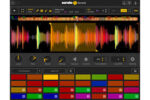
Serato Sample v2.1.0 macOS | AU, VST3
The Future of Sampling
Transform the way you sample, with one legendary plugin to sync, chop and flip, isolate track stems, pitch shift, and time stretch your samples in a snap.
Stretch the Limits of Sampling
Create faster, sound better, and ignite your imagination through cutting-edge stem separation, a revolutionary workflow, and unrivaled audio quality.
Create in Seconds
Supercharge your productivity with a workflow that maximizes creativity.
★ Detect and sync your sample’s BPM and key to your project
★ Chop up, adjust, and isolate Stems to get the best samples in a click
★ Trigger playback with MIDI hardware, keyboard, mouse, or piano roll
Sound Incredible
Showcase your sound through unmatched audio quality.
★ Legendary Serato pitch shifting and time stretching technology
★ Unrivaled stem separation audio quality
★ Beatgrids to sync unquantized samples to your project
Stand Out
Evolve your signature style with unique sound-design tools.
★ Unlock extraordinary new sounds with isolated Stems combinations
★ Key shift, time stretch, and adjust individual playback parameters
★ Pitch and play your samples like an instrument with Keyboard Mode
Unlock Your Sound
Discover infinite creative possibilities with Serato Stems.
★ Separate your sample’s audio stems with incredible sound quality
★ Access acapella, drums, melodies and basslines in real-time
★ Chop and flip stems to create a sound that’s uniquely yours
Homepage https://serato.com/sample