
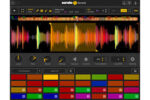
Serato Sample v2.2.0 macOS | AAX AU VST3
The Future of Sampling
Transform the way you sample, with one legendary plugin to sync, chop and flip, isolate track stems, pitch shift, and time stretch your samples in a snap.
Stretch the Limits of Sampling
Create faster, sound better, and ignite your imagination through cutting-edge stem separation, a revolutionary workflow, and unrivaled audio quality.
Create in Seconds
Supercharge your productivity with a workflow that maximizes creativity.
★ Detect and sync your sample’s BPM and key to your project
★ Chop up, adjust, and isolate Stems to get the best samples in a click
★ Trigger playback with MIDI hardware, keyboard, mouse, or piano roll
Sound Incredible
Showcase your sound through unmatched audio quality.
★ Legendary Serato pitch shifting and time stretching technology
★ Unrivaled stem separation audio quality
★ Beatgrids to sync unquantized samples to your project
Stand Out
Evolve your signature style with unique sound-design tools.
★ Unlock extraordinary new sounds with isolated Stems combinations
★ Key shift, time stretch, and adjust individual playback parameters
★ Pitch and play your samples like an instrument with Keyboard Mode
Unlock Your Sound
Discover infinite creative possibilities with Serato Stems.
★ Separate your sample’s audio stems with incredible sound quality
★ Access acapella, drums, melodies and basslines in real-time
★ Chop and flip stems to create a sound that’s uniquely yours
What’s New in Sample 2.2.0
Native Control for AlphaTheta SLAB
SLAB is the first pad controller to give you direct, hands-on control of Serato Sample 2.2.0—from scrubbing waveforms, setting cue points and stem separation to pitch and time stretching. Stay in flow with SLAB’s native Sample integration or use MIDI Mode to switch to custom mapping inside your DAW.
Stems Levels
Acapella, melody, bassline, and drum stems can now have their individual levels adjusted in the mix of any sample.
Automate Stems
Sample 2.2.0 also now exposes Stem On and Stem Levels as automation to the host DAW.
Mouse Wheel Support
Mouse scroll over knobs and draggable fields in Sample to make adjustments.
macOS Tahoe Support
Serato Sample 2.2.0 is now fully supported for use with macOS 26 Tahoe.
Serato Stems
Isolate acapella, instrument, bass and drum stems with the click of a button in Sample to effortlessly experiment with creating unique sounds. Powered by our machine-learning algorithm, Serato Stems delivers best-in-class sound quality and performance.
AAX Support
Sample, chop and flip in seconds—all in Pro Tools. Serato Sample now offers AAX Native support alongside VST/AU plugin formats.
VST3 Support
Following native compatibility with Apple Silicon, Serato Sample supports the VST3 format.
Plus:
* Apple Silicon support
* Pitch ’n Time On/Off
* Quantize
* HiDPI support for Windows
Other Changes
* Updated design of header bar to give more space for file name and header controls.
* Swapped around the BPM and Key widgets in the header bar.
* Updated app font.
* Fixed a crash that could happen when closing a Sample plugin window.
Homepage https://serato.com/sample





also the original file at serato is 1.45gb but this one is only 631mb…seems fishy to me
inside the dmg file the app is called “Setato” not “Serato” and the developer cannot be verified…malaware?