
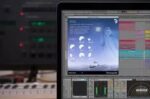
Puremagnetik Fog v1.0.1 macOS RETAiL
Fog is a versatile sound design and music tool capable of producing vast shimmering soundscapes, granular textures, and infinite time-stretched drones. With a simple interface, it offers a wealth of supernatural sound possibilities with just a few straightforward adjustments.
Fog employs a basic sampler to record a snippet of incoming audio (up to 11 seconds). The sampled sound then undergoes granular time-stretching and pitch shifting. The audio is then routed through an algorithmic space control that has its own DEPTH and TONE sections. You can dial down the DEPTH to zero to only get the granular effect or you can max it out to craft an endless drone.
Finally the audio is routed through a variable filter with Low-Pass, Band-Pass and High-Pass options. Between the algorithmic space TONE control and FILTER you can sculpt the sound to perfection. Combine that with daw automation of these controls and the drone easily comes to life.
Fog Controls
DURATION – How much of the sampled audio to play (always starts from zero).
STRETCH – Granular time compress/expand.
DEPTH – Amount of algorithmic space.
TONE – Darkness/brightness of algorithmic space.
FILTER – Cutoff frequency for either LPF, BPF or HPF
Minimum Requirements
• OSX 10.8 or Windows 10 x64
• Audio Units or VST compatible audio host
Homepage https://puremagnetik.com/products/fog-supernatural-drone-sampler





