
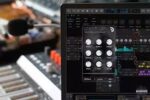
Puremagnetik Goestcopy v1.0.1 macOS RETAiL
Goestcopy is an advanced digital delay engine that employs stereo waveshaping and tape-echo time modulation. Its core is a distortion tool paired with a delay. It can add sharpness to your audio or completely transform it into a dreamy wash.
The distortion section includes two individual waveshapers for each channel, allowing for stereo distortion effects. These waveshapers can be used in sync or offset for unique stereo textures.
After the distortion, Goestcopy passes the audio through a series of delay effects. By combining waveshaping and delay modulation, you can achieve detailed sound design that can significantly alter any audio you process.
Goestcopy Controls Explained
EDGES gives you control of a shaping algorithm that can add subtle harmonics or completely slice the tops off of the incoming audio.
SHAPE 1 & SHAPE 2 control two separate waveshapers for distortion textures… in stereo!
ENERGY controls the speed of the delay time modulation — like an old echo tape.
AURA sets the delay modulator wave shape — a variable oscillator that morphs from sawtooth to triangle to ramp waveforms.
GOEST set the depth of the delay modulation — this control is most classic on lower settings but the option to turn it up for more extreme modulations is also available.
SPACE adjusts the timing of the stereo delay line
FADE controls the number of stereo delay line repeats, or feedback of the delay
• OSX 10.8 or Windows 10 x64 (Puremagnetik Plugins run as M1/2 Native)
• Audio Units or VST/VST3 compatible audio host
Homepage https://puremagnetik.com/products/goestcopy-wave-modulation-delay-ableton-bitwig





