
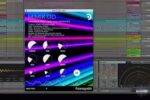
Puremagnetik Mimik OD v1.0.1 macOS RETAiL
Mimik OD is the MK2 incarnation of Puremagnetik’s variable time and pitch processor. It is a temporal and tonal manipulation machine designed to help you explore the microsonic aspects of whatever you feed it. Mimik OD records your incoming audio to a short buffer that you can tweak, bend and stutter to completely alter your rhythms and sounds.
With the OD (OverDrive) button, Mimik will create new sounds each time it is pressed. It is a quick and easy way to generate new mimicking patterns of the incoming audio.
Mimik OD’s buffer can be truncated or randomly modulated. It allows you to pitch-stretch without altering duration and time-shift without changing pitch. You can reverse, chop, freeze and re-phrase almost anything. Mimik OD can be used for subtle articulation nuances or more extreme beat processing.
Mimik OD Controls
LENGTH – Truncates the length of the buffered audio
TIME – Granular time stretch, compress and reverse
PITCH – Repitch in common intervals +/- 24 semitones
SKIP – Randomize the LENGTH control
JUMP – Randomize the TIME stretch control
BLEND – Mix between the dry and effect signals
RATE – Modulation rate for the SKIP, JUMP, BLEND controls
OD – Mystery Overdrive button that changes the sound each time it is pressed
Mimik OD Features
• Loop time compression and stretch from 1:4 to 4:1
• Manual or modulated control of buffer length from 10ms to 1 second
• Pitch-shift from -2 to +2 octaves
• Integrates into any VST / Audio Units compatible host
• Includes a collection of factory presets
Minimum Requirements
• OSX 10.8 or Windows 10 x64
• Audio Units or VST compatible audio host
Homepage https://puremagnetik.com/products/mimik-od-pitch-time-repeater-with-od





