
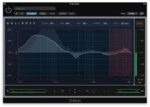
Soundtheory Gullfoss v1.11.7 ARM macOS
Gullfoss is an easy-to-use tool for everyone from the amateur musician to the professional mastering engineer. Its clean user interface offers a set of basic parameters that can be adjusted to improve the clarity, detail, spatiality, and balance of a mix or recording in a matter of seconds.
Take control
Gullfoss is an intelligent equalizer that listens to a signal and decides how to prepare the audio so that your brain can get the most information out of it. The realtime analysis of Gullfoss uses Soundtheory’s computational auditory perception model to understand which audible elements are competing for your attention. Gullfoss allows for quick and precise fixes that would otherwise be unsolvable or would require significant time and experience to resolve.
Gullfoss is even capable of fixing balancing issues between different sound elements without access to the individual tracks. The internal auditory model allows Gullfoss to make objective decisions about the perceived sound. As a result, mixes processed with Gullfoss will generally translate more consistently between different listening situations.
Gullfoss, enabled by new patent-pending equalizer technology, processes audio with unrivaled sound quality. The equalizer is capable of changing its frequency response more than 300 times per second and without introducing audible artifacts or degrading signal quality. Together with the highly advanced computational auditory perception model that has been developed by Soundtheory, Gullfoss is the first and only product of its kind.
Homepage https://www.soundtheory.com/gullfoss





