Structured 4.4.6 macOS
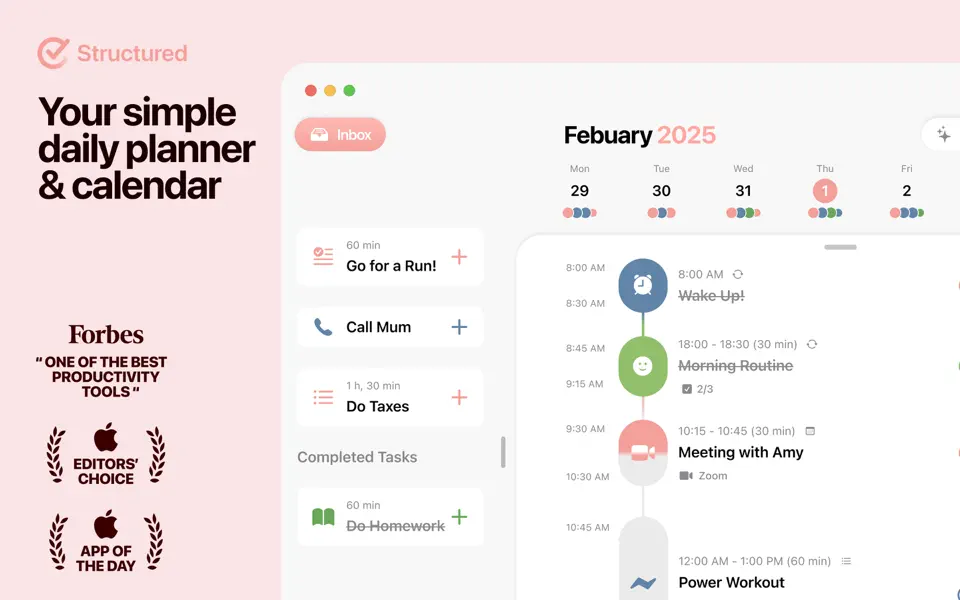
A visual daily planner that puts your calendar, tasks, routines, and habits on one clear timeline—so you can plan fast, stay focused, and end each day feeling calm and in control.
Join 1.5 million+ daily planners who focus quicker, reduce overwhelm, and get more done—perfect for work, study, travel, and busy ADHD minds. Plan in minutes, stay productive all day.
- Organize your day and week in an intuitive timeline
- Capture ideas instantly in Inbox and sort them later
- Sync across iPhone, iPad, Apple Watch and Mac
- Break big projects down with notes & sub-tasks
- Stay on track with a Pomodoro focus timer, Live Activities, and interactive widgets
- Personalize your planner with color-coding and hundreds of icons
- Benefit from accessibility features like VoiceOver, Voice Control, a dyslexia-friendly font, and multiple languages
- Get a complete overview by connecting your calendars and Reminders
- Build recurring tasks & routines that actually stick
- Powered by AI, draft your day in seconds
- Replan, automatically reschedules missed or forgotten tasks
- Customize notifications to match your workflow
What’s New:
Version 4.4.6:
This update brings a broader round of fixes and polish across Structured.
What’s new
- Improved settings sync, so changes update more reliably across your devices.
- Added version information in Settings to help you quickly see whether your app and system are up to date.
- Fixed an issue on macOS where opening the upgrade screen from Settings could fail.
- Fixed several timeline and subtask layout issues for cleaner task views.
- Fixed a rare crash and addressed a few smaller interface issues, including the text cursor in the black theme and improved French notification wording.
Compatibility: macOS 14.0 or later
Homepage https://apps.apple.com/us/mac/search?term=Structured%20
Screenshots