
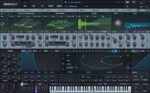
Xfer Records Serum v2.0.22 macOS
Advanced Hybrid Synthesizer
The original motivation for creating Serum was to have a dream synthesizer that did not exist: a wavetable synthesizer with a truly high-quality sound, visual and creative workflow-oriented interface to make creating and altering sounds fun instead of tedious, and the ability to “go deep” when desired – to create / import / edit / morph wavetables, and manipulate these on playback in real-time.
Serum version 2 blasts the sonic palette wide-open, offering the user ridiculous power, control and expression over their sonic output – with many oscillator types, flexible effect routing, arpeggiator and clip sequencer – the goal with Serum 2 was to empower Serum users to fully realize their sound and music ideas into form.






For Patching you must close your DAW or any application that Serum is open with , then open the PATCH by double click …will be denied by the security of your machine , will pop-up “Done or Move to trash ” you press DONE , go to system setting on your Mac OS open it – Privacy&Security …scrol till down you will see there something about Serum Patch …blah. blah — Open Anyway press on it and wait to pop-up other things till the installation window will appear … you ‘r DONE !!!
This Patch is Borked! The only working (sort of) one is 2.0.19 (full install + 2.0.19 patch)
It asks for a serial number. Wasn’t the patch supposed to take care of this?
This isn’t kracked. Remove this!