
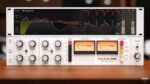
Pulsar Audio Pulsar 1178 v1.5.4 macOS ARM
A compressor that eats transients for breakfast, the 1178 is a rare and expensive legend of the recording studio, cleaner and more versatile than its older brother, the 1176. The 1178 has been used by great producers including Chris Lord-Alge (My Chemical Romance), Bob Clearmountain (Rolling Stones, Christina Aguilera), Yvan Bing (Phil Collins) and Nigel Godrich (Radiohead).
Our 1178 software (VST/VST3/AU/AAX) meticulously recreates the original 1178 hardware in its tonal color and compression character.
But we’ve taken the Pulsar 1178 further than the original unit, adding all the features you would expect from a modern, versatile plug-in, including a full sidechain EQ for added control, an optional saturation stage for warmth and character, and precise metering.
Main Features
Topology Preservation Technology
Our modelling technology guarantees a perfect emulation of the original device’s behavior. From the saturation of diodes, transistors or tubes, to the slight internal filterings, to the tiny calibration defects, everything is perfectly reproduced. What’s more, we can reproduce all these behaviors without going through a complete simulation of the circuit, thus saving CPU power.
Saturation stage
Push the signal further using one of four saturation flavours, and adjust the processing strength. Tape emulates the character of magnetic recording technology; Warm offers subtle distortion that’s great for high frequencies; Triode emulates a Class A tube amp, adding mostly odd harmonics; Clip offer digital clipping for heavy-handed action.
Mid-Side processing
Pulsar 1178 comes with built-in optional M/S encoding and decoding, enabling a signal’s mono and stereo information to be processed separately with different settings. The Listen buttons simplify the setting by allowing you to listen to Mid or Sides signals in isolation, and the modern visualization can be set to monitor only the channel you’re working on, so you always know what you’re doing.
Look ahead, look behind
Bring the compressor’s detection action forward in time – practically impossible in an analogue signal path – or delay its action by up to 10ms to help transients to pop through. You set the exact timing of the Look-ahead or Look-behind delay stages, up to 20ms for the former or up to 10ms for the latter.
Powerful sidechain EQ
High-passing the sidechain is possible with Pulsar 1178, but so is a lot more, thanks to an entire sidechain EQ section. Five filter types are available here, as is band solo and sidechain audition to help perfectly tailor your signal and arrive at the ideal detection response.
External sidechain
Pulsar 1178 allows to define an external sidechain input, as all compressors should in the digital age. This opens a very wide range of applications: ducking, de-essing, filtering the sidechain signal with your favourite EQ, or even applying dynamic processing.
Advanced metering section
Gain reduction, input level and output level are all visible in different ways. The scrolling gain reduction meter offers a view of gain reduction and the audio signal; VU-style metering shows instantaneous gain reduction for both stereo channels; and LED-style input, output and gain reduction is available to calibrate peak and RMS loudness.
Smart GUI
Pulsar 1178 comes all wrapped up in a responsive and resizable interface. Just drag the resize handle to set it to your preferred size, from nice and compact to highly visible. What’s more, in most DAWs, loading Pulsar 1178 on a mono channel will open the plugin with a streamlined interface that shows only a single channel of operation.
Homepage https://pulsar.audio/comp-1178/





